Material from Every Source, Together in One Case.
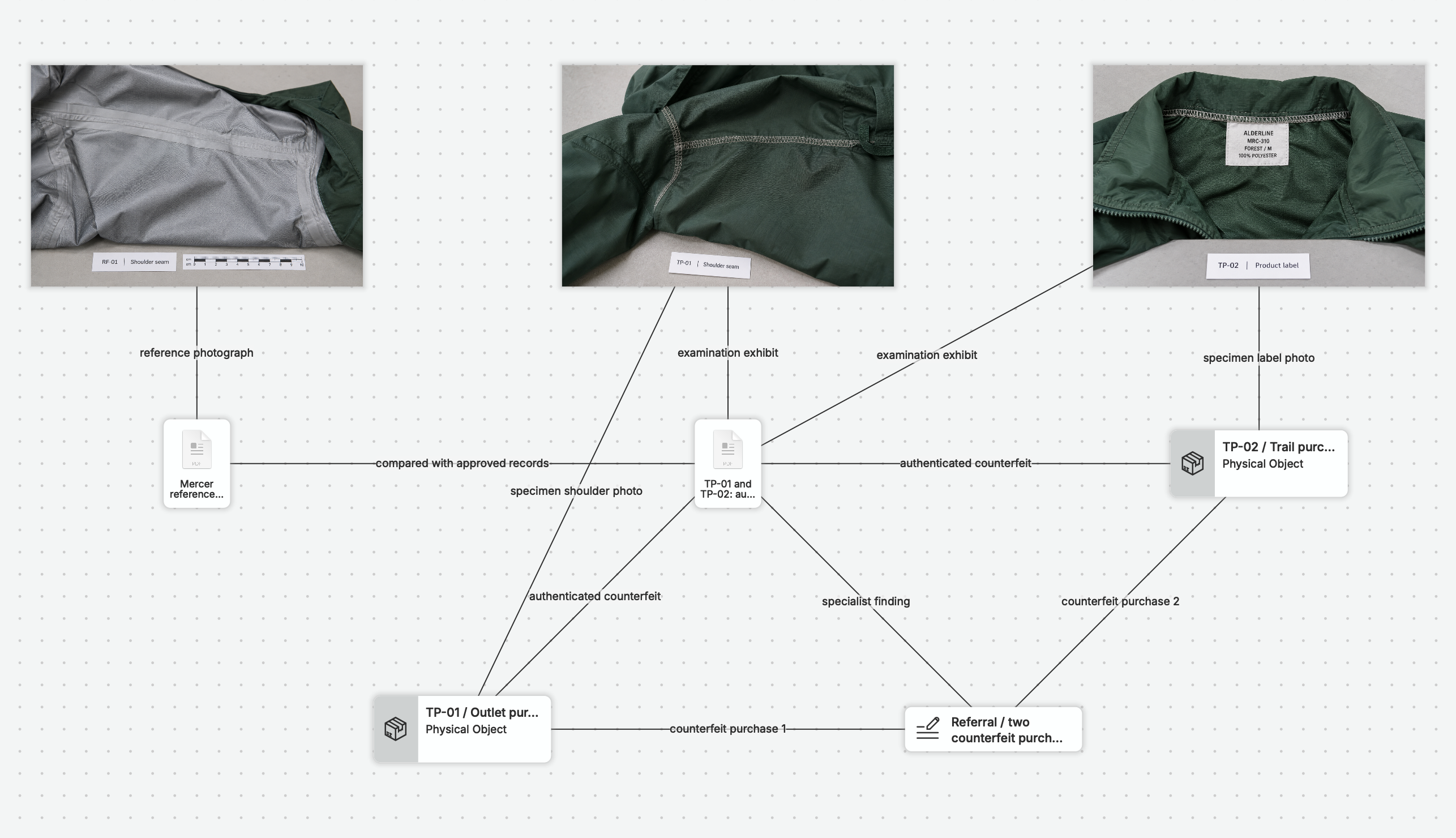
Whether a source is on a website, in another system, on paper, or out in the field, you can add it to nQuest as a browser capture, file, photograph, or note.
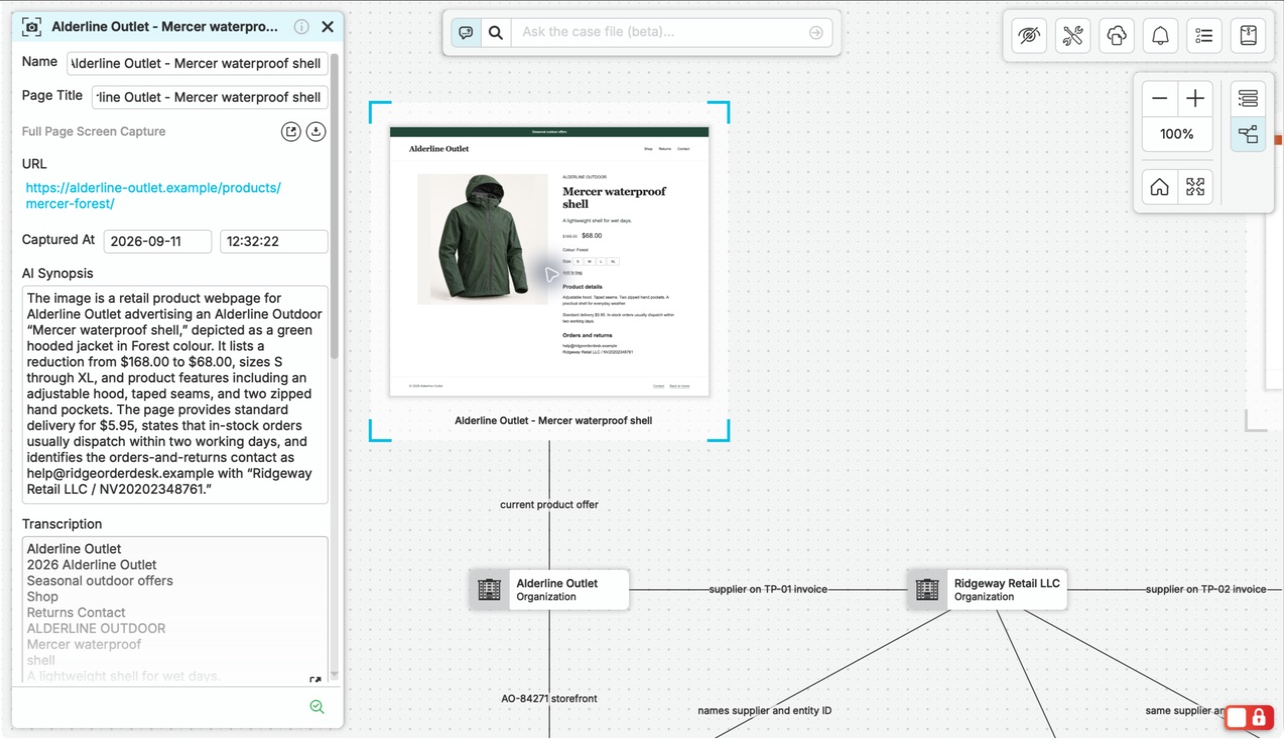
Capture a full web page or supported scrolling panel, selected text, or a frame with its source URL and collection time. Add photographs, client documents, and exported records as files, and record interviews or observations in notes. nQuest can analyze most documents and images, so you can examine them together while keeping your assessment beside its sources.
Ask a Question in Your Own Words.
Ask nQuest’s AI, “What do these records tell us about the sequence of events, and where do they differ?” The answer draws from your documents, notes, and captures and includes references you can open to explore the details.
You can ask directly from graph or list view. Use the answer to compare accounts, understand a connection, or decide which lead to follow next.
Graph, List, and Search Keep the Case Navigable.
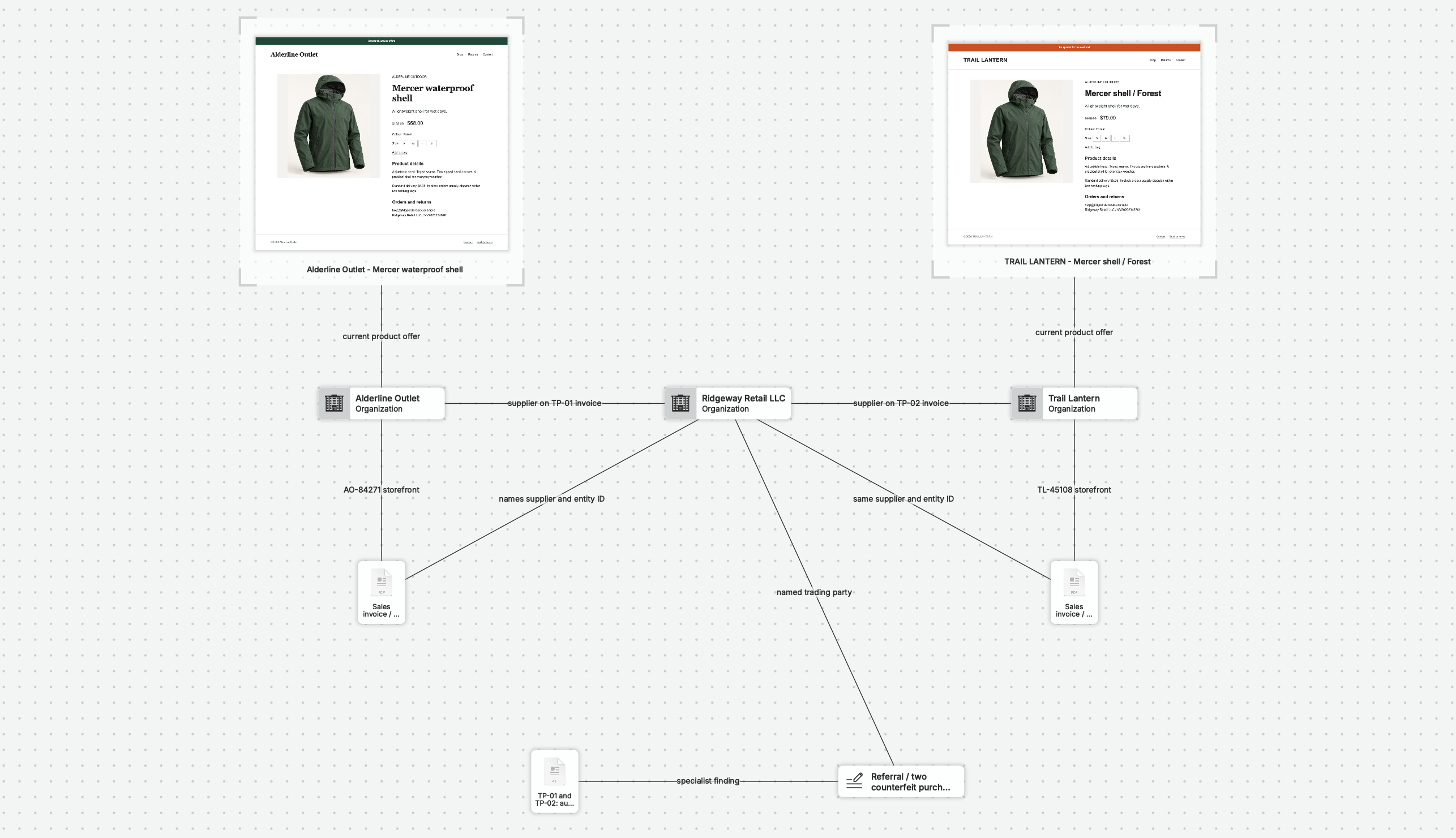
Start with documents, notes, and captures, then add entities and relationships as the investigation develops. Switch between a graph for connections and a list for systematic review, or search for the item you need to revisit.
Relationships with Supporting Context
Record what a relationship means and keep the supporting material available for inspection.
Ownership, Contributions, and Review
Keep ownership clear, track contributions and return notes, and provide the appropriate level of review access.
Reports and Exports
Generate an editable Word report and shape it for your reader. Export a graph image to explain the connections, with case data and supporting files ready for delivery.
Switch between the address connections and linked records in the same case.
Switch from the TLO address graph to List View. The people report opens with its source synopsis, witness, address records and linked research notes. Return to Graph View to see the same source connections.
nQuest on Your Desktop.
The desktop app is available for Windows and Mac. You can also try the Linux beta. Browser capture supports Chrome, Firefox, and Edge on Windows and macOS, plus Chromium and Firefox on Linux. Get the installer from the Downloads page, then use the Support Center for installation and capture-tool guidance.
Questions Worth Asking.
Can I investigate internal or client-supplied material?
Yes. Add records, documents, and photographs as files, and keep interview or field notes in the case. Work with that material on its own or connect it to web research. nQuest is built for investigations using both public and first-party material.
Do I need to design a complex case structure before I start?
Start with the material you already have. Add links as the investigation develops, and use custom entity definitions on the Team plan when you need consistent fields across cases.
What can I ask about my case?
Ask about dates, people, contact details, or connections in the material you have collected. Bring sources from your research tools into nQuest, then ask a question that draws them together.