
Bring in Expertise. Keep a Clear Lead.
An investigation may need a second analyst, a specialist, and someone to review the result. The owner can request contributions from people or groups while retaining responsibility for the case. nQuest records ownership and contributions in the case workflow.
Assigned tasks give follow-up work a person and a status. The next action stays visible alongside the investigation it belongs to.
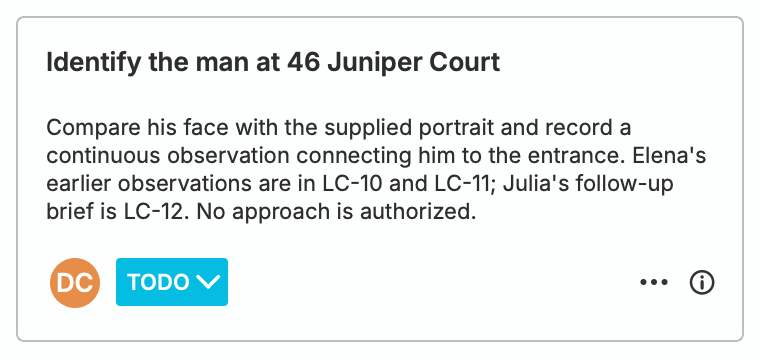
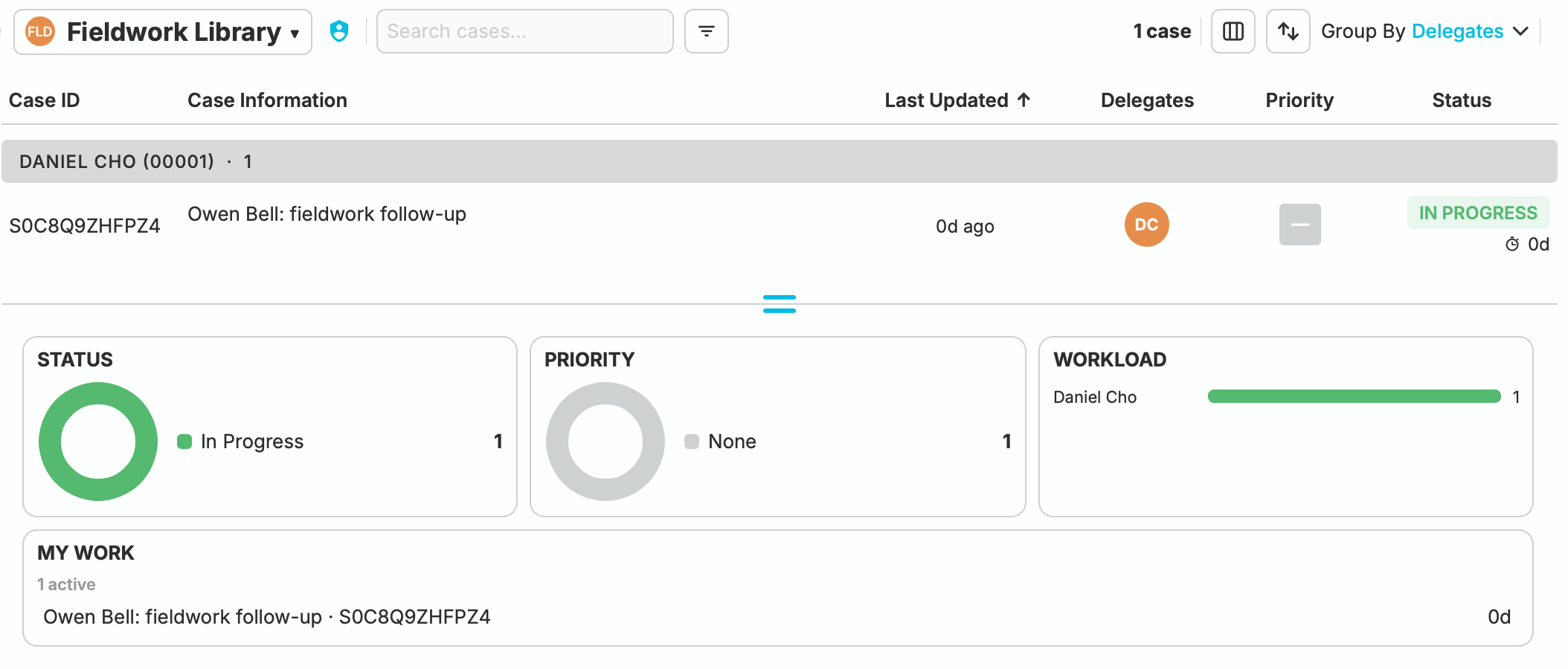
Daniel’s next field check stays assigned and visible beside the case.
Know Where a Contribution Stands.
Contribution requests, independent status, and return notes stay with the case. A person or group can receive a defined contribution. Individual contributors and authorized group members can edit the case, then return or reassign the contribution with the context needed to continue.
Groups can delegate their work to members. The group library shows who is taking it forward and which contributions are in progress.
Give Reviewers the View They Need.
Let a colleague inspect the sources or keep a stakeholder informed through a case overview. Separate viewing roles let people follow the investigation without editing the case.
Source Review
Viewers can open the underlying case with read-only access and inspect the material behind a finding.
Case Overview
Summary viewers can follow the case description and top-level attachments when they need an overview of the work.
Pick Up Where Your Colleague Left Off.
Case history records workflow changes and handoff notes. When responsibility changes or an investigation resumes, an authorized participant can see how the case reached its current point.
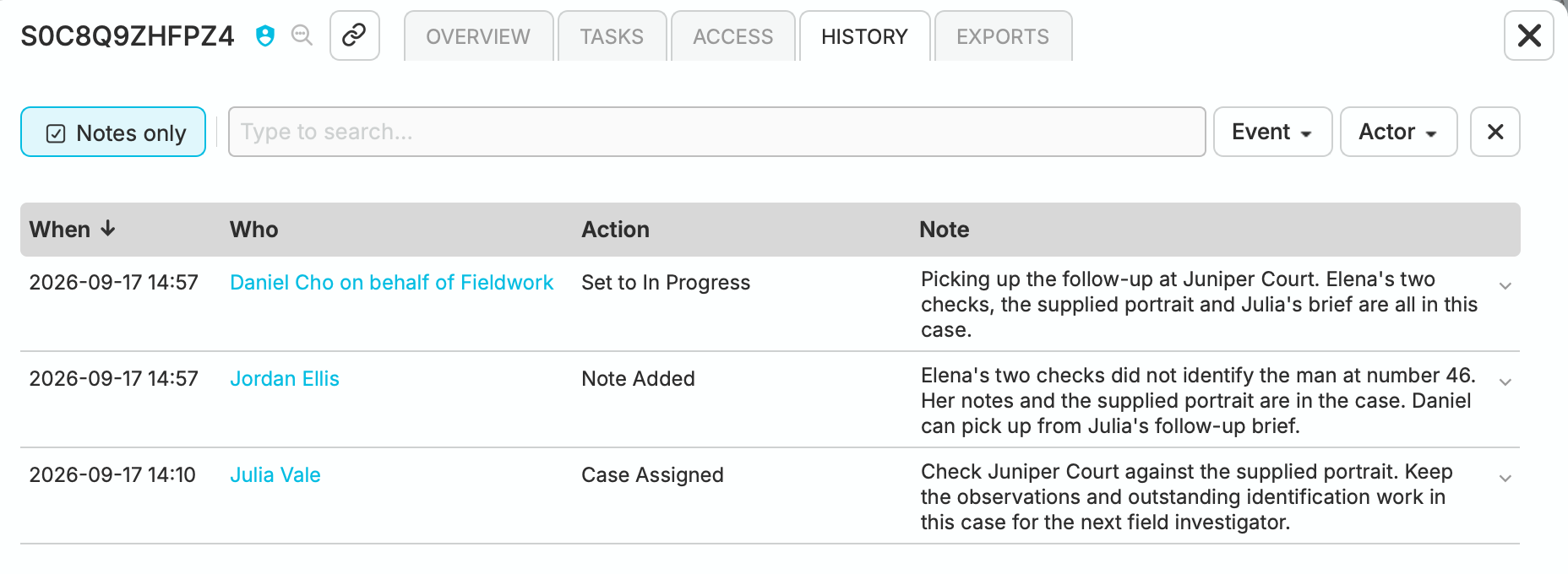
In Cedar & Vale’s fieldwork case, Julia’s assignment, Jordan’s handoff and Daniel’s pickup stay together.
Questions Worth Asking.
Can two analysts edit the same case file at once?
The case file allows one editor at a time. An authorized editor unlocks it before making changes. Contributors take turns adding their work while the owner retains responsibility for the case.
Can someone review a case without editing it?
Yes. A viewer can open the underlying case with read-only access. A summary viewer sees the case description, library details, and top-level attachments, but not the underlying case file or synopsis.
Can a group own or contribute to a case?
Yes. Owners and contributors can be people or groups. Group work can be delegated to members, who act on the group’s behalf within their assigned rights. Owners control the case workflow, request contributions, add viewer access, and prepare case exports; mandatory access is managed by the system.
How is access to sensitive cases restricted?
Case roles work alongside group and account-wide permissions. Compartments further restrict access to people on their access lists; compartment membership alone does not grant permission to a case.
What happens when a contributor returns their work?
Returning the case ends that contribution and records the return note in case history. The former contributor retains viewer access, subject to the case’s access restrictions.