
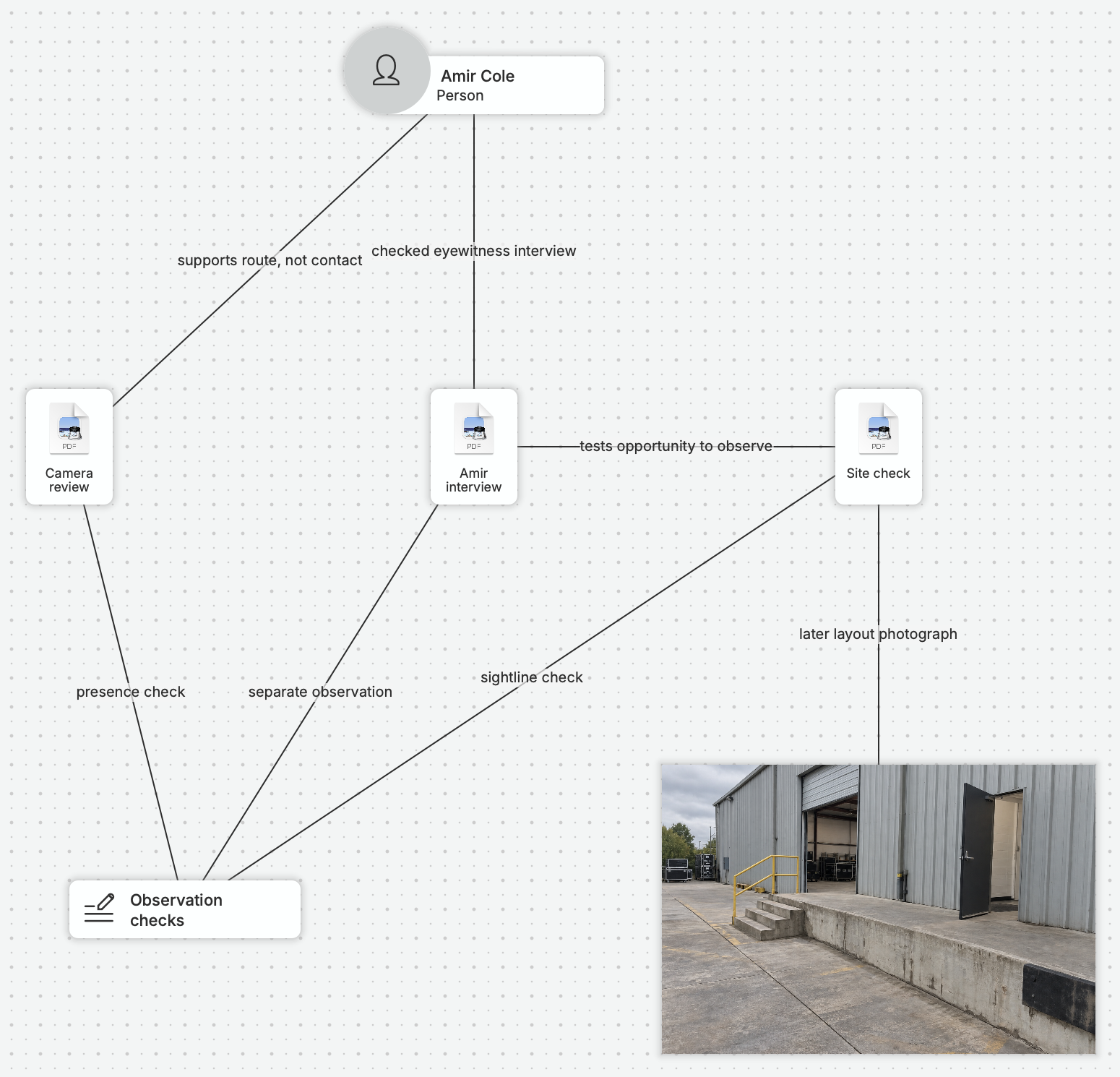
Spend More Time Investigating.
We built nQuest from firsthand experience of scattered records and disconnected tools. Keep your sources and working notes in one case, ready to follow a lead or resume an assignment.
Find What Matters. Move the Case Forward.
Use AI-powered search to find relevant material, or ask nQuest’s AI a question about the case. The answer includes references that take you straight to the original records.
Compare what different sources say, explore the connections, and decide which lead deserves your attention next. Keep your findings and the material behind them together as the case develops.
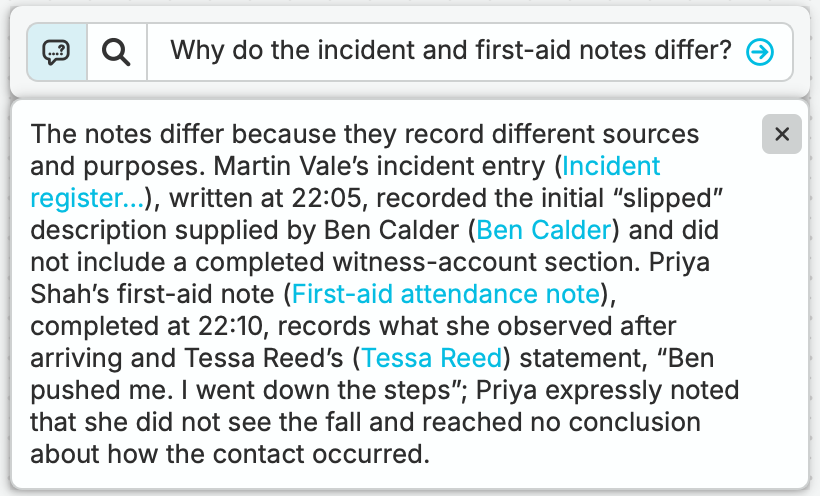
Trace each description back to the person who supplied it.
Turn the Work into Findings You Can Deliver.
Your client or reviewer needs to understand what you found and how you got there. Use case visuals to explain the connections and generate an editable Word report from the material you have already collected.
Review the draft, refine the reasoning, and include the supporting files in your export. Because the sources, notes, and relationships are already in the case, you spend less time assembling the report from scratch.

Review the draft in Word, with source references and your own comments.
See nQuest in Practice.
Follow an assignment close to your own work. These written example cases show how sources, questions, and follow-up come together into a result another person can use.
A Locate Case
Counsel needs a witness to a trucking accident now subject to major litigation. Follow Cedar & Vale’s investigators as they use nQuest to assess address leads, coordinate fieldwork and prepare a location report.
Two Counterfeit Purchases. One Seller.
A brand investigator traces two counterfeit purchases to one documented seller, checks whether a shared returns address matters, and prepares a referral for the brand’s review.
Conflicting Accounts of an Incident
An alleged push leaves an employee seriously injured. Follow Leah Grant as she uses nQuest to compare accounts, check a witness’s view and prepare her finding for the employer.
Questions Worth Asking.
Is nQuest useful if I investigate on my own?
Yes. Starter brings collection, case organization, AI-powered search, and report generation to individual investigators and small practices. Choose Team when you need shared case contributions or custom entity configuration. Compare the plans.
Do I need to build a graph before I can start?
Start with a few files, captures, or notes and a question you want to answer. Work through the material in the list view, use search, and add relationships when they help explain the case. Onboarding and setup assistance are included. Read the first-case guide
Can I control who sees sensitive case material?
Yes. Case permissions define who can contribute or view, and compartments add restrictions for sensitive investigations. The Security page explains access, encryption, backups, and data handling. Explore security and data handling.
How can I see whether nQuest fits our workflow?
Use the 30-day free trial to work through an assignment. Bring in a few sources, ask a question, and prepare a finding and report. For a team walkthrough, request a demo to explore your assignments, contributions, and review process. Request a demo.