
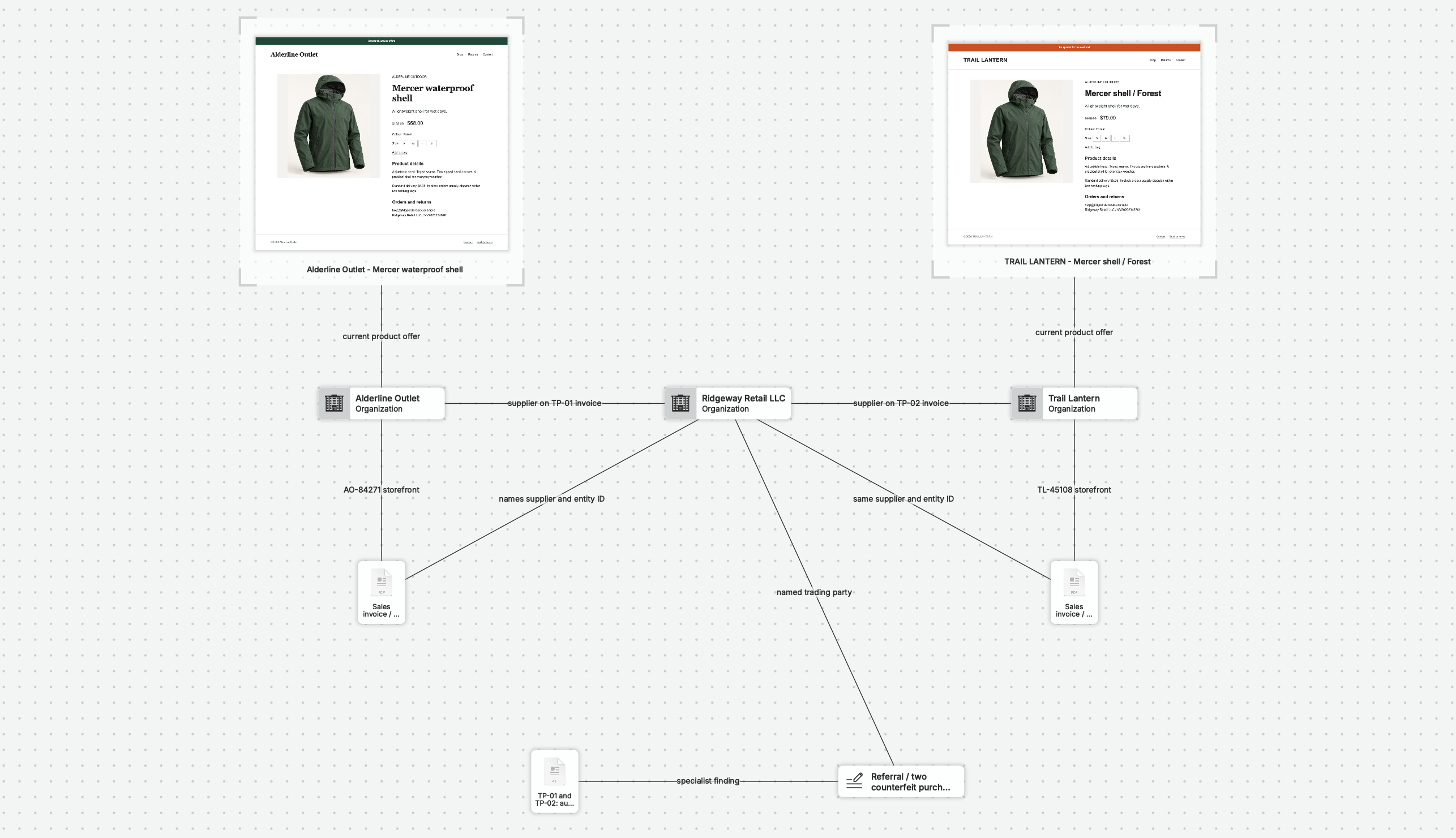
See the Wider Investigation Behind a Report.
A reported account points to a storefront. Another incident includes the same contact detail. As the question grows beyond one report, nQuest gives your team a place to bring the related activity into focus.
Imported incident files, screenshots, and web captures share one case with the accounts and connections you are investigating. The wider picture stays with the case as new reports arrive and more analysts become involved.
nQuest supports the investigation beyond your moderation queue; queues and enforcement actions stay in your existing system. The brand-protection example shows a related method: bring storefront records together, test an apparent connection, and prepare a referral for review.
Give Reviewers the Sources Behind the Pattern.
Shared contact details, profile links, and reused images mean more when a reviewer can see where each connection came from. nQuest keeps your recorded relationships close to the captured pages, incident exports, and analyst notes that support them.
Full-page and supported scrolling-panel captures keep longer profiles and listings available for review, with their URLs, collection times, and coverage details. Text and frame selections preserve visible-page context. Reviewers can examine the source behind an observation while considering the wider assessment.
Ask Questions About the Collected Reports.
Ask nQuest’s AI questions such as “What connects the accounts in these reports to the same storefronts?” The AI draws its answers from the collected material and includes references to the supporting sources.
When a familiar account or identifier returns, search accessible earlier cases for the work already done. Relevant sources and previous assessments help your team continue the investigation without repeating the same research.
Move the Case Forward with Every Handoff.
An escalation is easier to assess when the findings, sources, and open questions arrive together. Read-only case access gives reviewers a way into the working record; an editable Word draft and supporting file exports help prepare the escalation for your review process.
Clear ownership, contribution status, and return notes keep follow-up with the case. Team includes collaboration and custom entity configuration for recurring investigations.
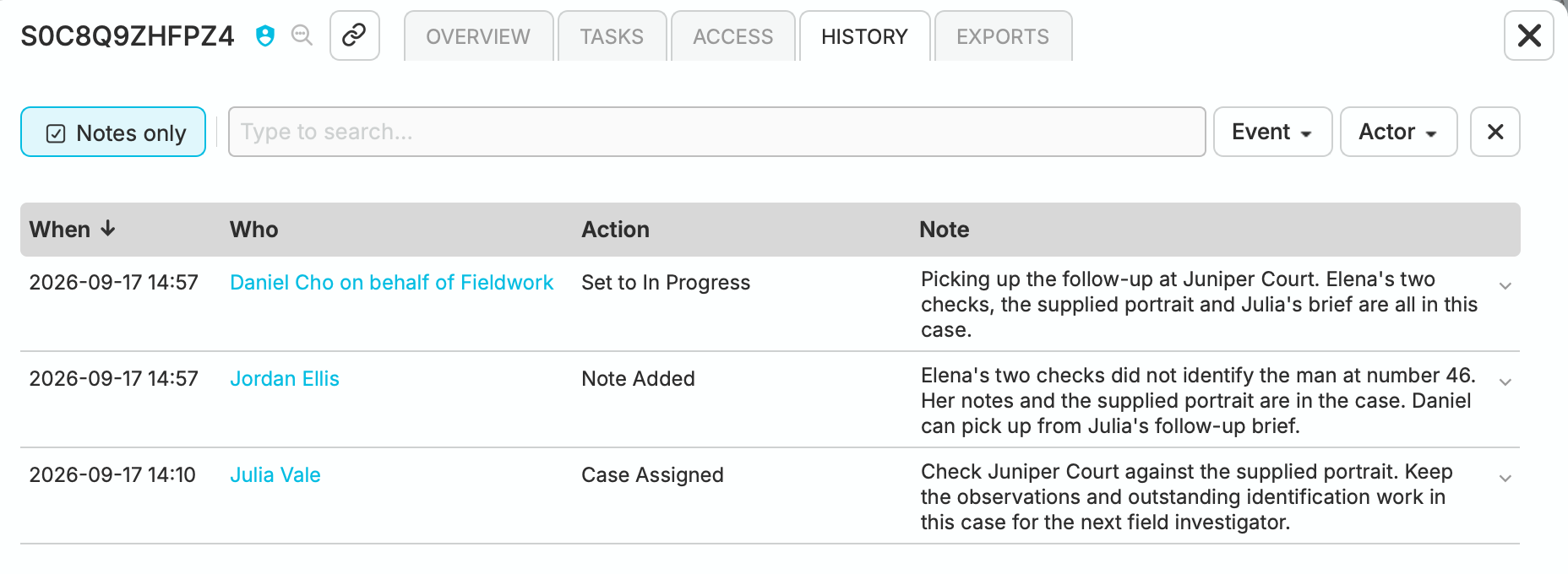
In Cedar & Vale’s fieldwork case, Julia’s assignment, Jordan’s handoff and Daniel’s pickup stay together.
Questions Worth Asking.
Can we capture from our internal systems without building integrations?
Yes. Use browser captures, screenshots, and file exports to bring information from almost any internal system into a case, including homegrown tools. Full Page Capture can collect supported scrolling records and panels without a system-specific integration. Browser captures retain the source URL and collection time; check coverage and warnings before relying on the saved material. Explore capture and file intake
Does nQuest replace our moderation system?
No. nQuest supports actor integrity investigations when you need to understand who is behind related accounts, how they connect, and whether activity is coordinated. Bring in the reports, account records, and moderation decisions you need, then investigate them alongside other internal records and web research. Your moderation queues and enforcement stay in your existing system.
Can we keep investigations on a need-to-know basis?
Yes. Case, group, and account permissions let you define who contributes, who reviews the evidence, and who sees only library-level case details. For sensitive investigations, Enterprise compartments add an approved access list: a person must have case permission and belong to every compartment assigned to the case. How compartments restrict access
Can Legal discover cases without opening the evidence?
Yes. Summary Viewer access lets authorized legal reviewers see that a case exists and read its library-level details without opening the case file. Account policy can make that access mandatory, so an individual case owner cannot remove it. Compartment restrictions still apply; legal reviewers must be included in the appropriate access lists. Read about mandatory access
Do account administrators automatically see sensitive cases?
Enterprise compartments apply to administrators as well as investigators. An administrator outside a case’s compartment access lists cannot see that case. Account and compartment administration have separate roles. Global Administrators can manage compartment membership, so assigning those roles is part of controlling access. Review administration roles